TIP
Copy and paste this page into a Google Doc to answer questions.
Homework 1: Overview
Introduction to Mantis
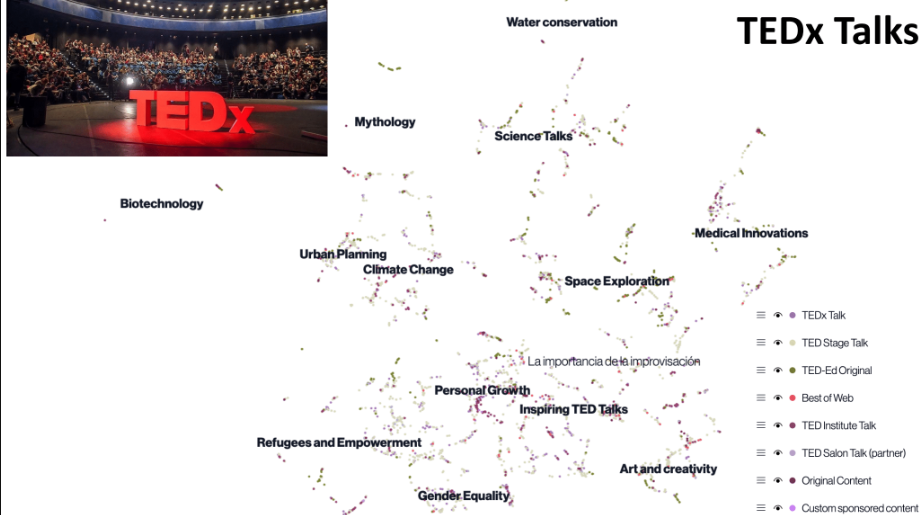
This is a map of all of the TEDx Talks, with each point being one talk. It has been mapped out with AI. What do you notice about the groupings of these talks? What talks are most common?
Accessing and Exploring Mantis
- Access Mantis
- Website: https://mantis.csail.mit.edu
- Navigating the Interface
Navigate to the Slave Narratives or Grants space.
You'll see a map with clusters of points.
Use your mouse or trackpad to zoom in and out.
For view settings, refer to the panels below.
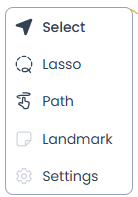
Use the Selection Tool and click and drag to move around the map.
- Click on a point to view its content.
You can select multiple points by holding down the [Shift] key while clicking.
- Use the Lasso Tool to drag around points and select all of them.
- Selected points are added to a Bag.

After selecting points, you can ask the AI chatbot (Narrator) questions about them.
- The chatbot can help you find similarities, differences, themes, and more.
- You can mention a specific bag in the prompt to the chat bot or compare multiple bags by using {Bag Name}. For example, you could ask “What is similar about the points in {Bag 1} and {Bag 2}?”.