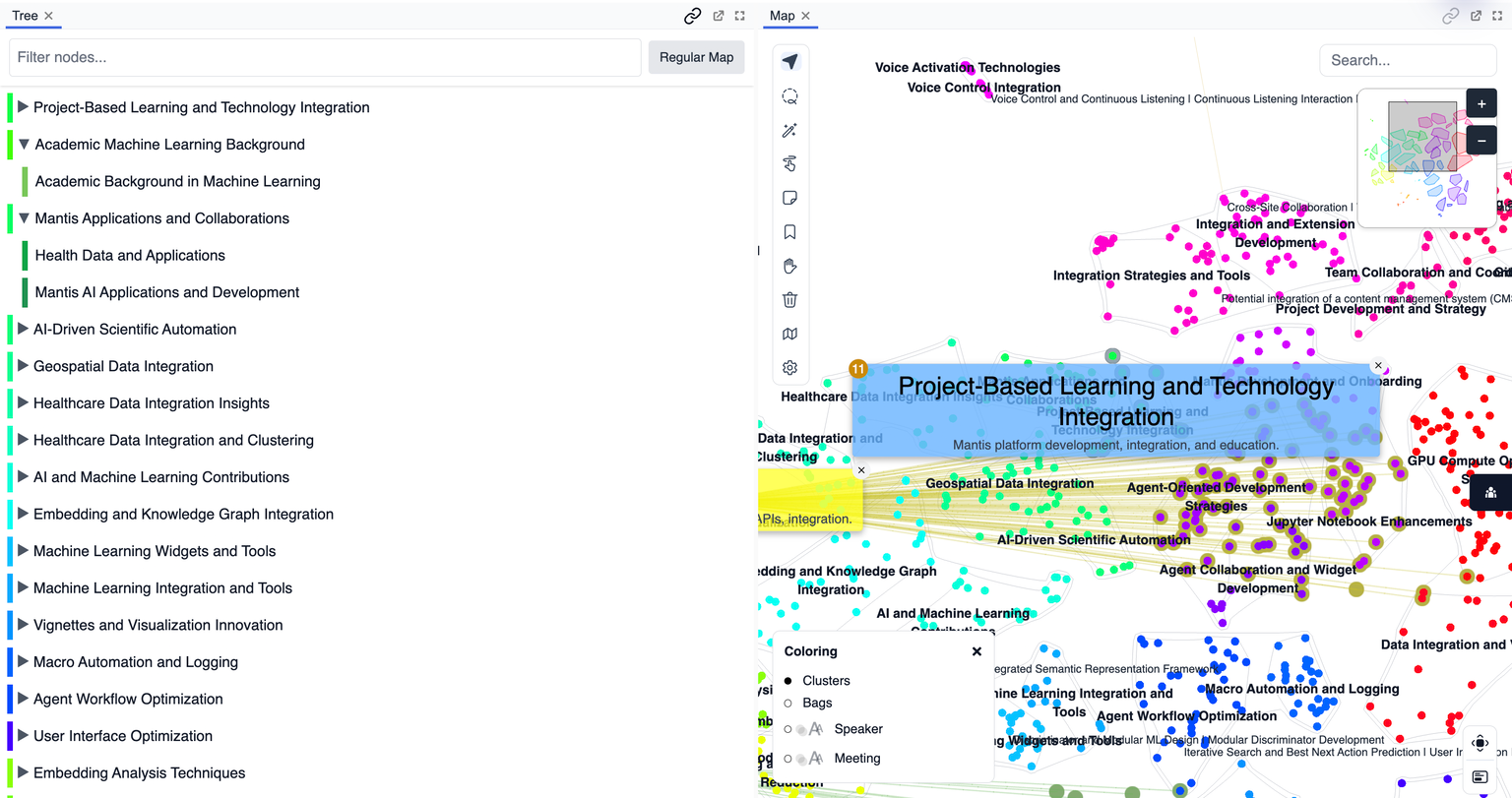
Tree
Overview
The Tree panel provides a hierarchical view of your data, organizing points, bags, or clusters into expandable categories. It allows users to quickly filter, navigate, and understand the thematic or structural taxonomy of their space.
Purpose
- Organize data into categories or clusters for easier exploration.
- Quickly filter or select groups based on hierarchical structure.
- Reveal relationships between high-level categories and their subgroups.
- Support navigation by collapsing or expanding branches of the tree.
Key Features
- Expandable Hierarchy: Click to expand or collapse categories and subcategories.
- Cluster/Category Labels: See group names and sizes at a glance.
- Quick Selection: Select an entire group or subgroup with a single click.
- Synchronized Filtering: Selections in the tree filter or highlight items on the map and other panels.
- Dynamic Updates: The tree reflects current data, selections, and clustering in real time.
Tips
- Expand nodes to drill down into more specific groups or clusters.
- Use the tree to quickly select or filter large data segments.
- Collapse branches for a cleaner, more focused overview.