Welcome to Mantis!
Overview & Orientation
What is Mantis?
Mantis is an agentic, programmable workbench for exploring, creating, and transforming conceptual knowledge spaces across multiple data modalities (text, images, audio, networks, etc.).
Unlike passive data viewers or black-box chatbots, Mantis provides a glass-box interface for hands-on, visual, and semantic reasoning—with AI agents as copilots in your workflow.
- Think: Cognitive map + AI agent cockpit + visual programming notebook + marketplace of data tools
- Built for: Scientists, analysts, developers, teams, and anyone who needs to see and shape complex data
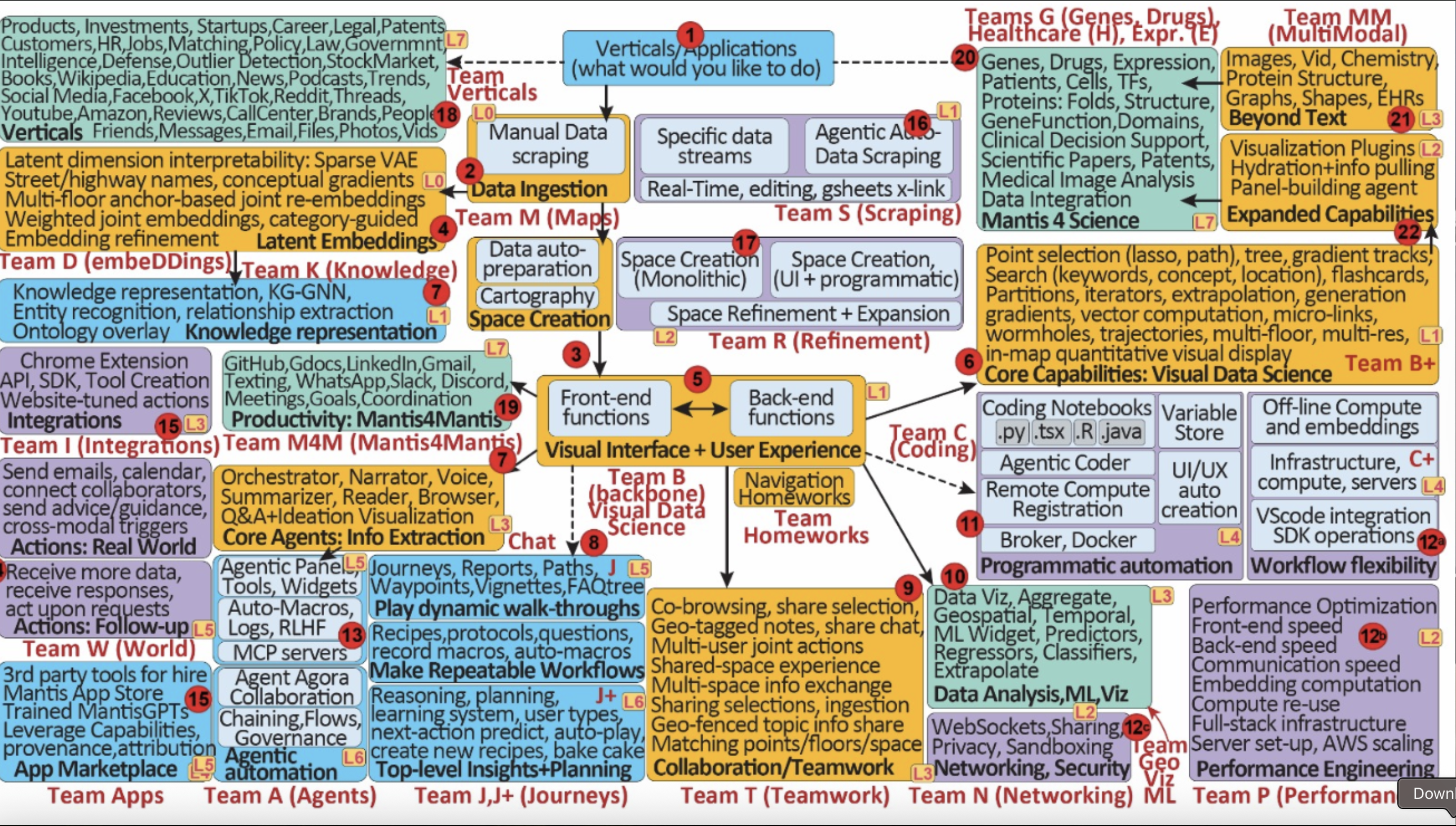
Core Concepts
1. Cognitive Cartography
- Visual maps of knowledge, where each point represents a piece of data (document, image, protein, etc.)
- Proximity = conceptual similarity
- Clusters, contours, and trajectories show semantic relationships and patterns. Interactive navigation lets you zoom, filter, and annotate—just like a living map.
2. Multi-Modal Embeddings
- Unify text, images, molecules, networks, and more in shared spaces
- Joint and cross-modal representations—see connections across data types
- Examples: clustering podcasts by theme, mapping molecules by chemical similarity, linking papers and grants on different “floors”
3. Agentic Workflows
- Embedded AI agents (narrators, searchers, summarizers) assist, automate, and learn
- Voice, chat, or code: command Mantis by speaking, typing, or scripting
- Save and replay macros; use agents to cluster, summarize, plot, or generate reports
4. Outbeddings
- Generate new artifacts from positions in latent space (e.g., summaries, images, molecules)
- Move beyond “finding” to creating—powered by AI + user input
Navigating the Mantis UI
1. Map
- The main canvas: explore points, clusters, and relationships visually
- Zoom in/out, select with lasso, view overlays (gradients, cluster contours)
2. Tree
- Hierarchical explorer: browse and filter content by semantic categories or ontology branches
- Expand/collapse to focus on what matters
3. Reader
- Read documents, summaries, or item details in context
- Semantic highlighting, annotation, and multi-item comparison
4. Bags
- Custom collections: save sets of points (“bags”) for further analysis or export
- Share, compare, or summarize bags
5. Summarizer
- Automatic, agentic summarization of selected points, clusters, or bags
- Control summary length, style, and modality
6. Plots
- Visualize quantitative features: histograms, scatter plots, density maps, overlays
- Interactive customization and direct integration with map selections
7. Notebook
- Embedded, programmable workspace (like Jupyter) linked to map elements
- Script, annotate, run macros, and connect code outputs to visual UI
Interactive Features
- Voice/Command Palette: Control the platform with voice or quick-commands: “Summarize this cluster”, “Search: climate change”, “Plot bag A vs bag B”
- Action Log: See all your actions, agent responses, and replay/undo workflows
- Multi-Floor Mapping: Jump between 2D/3D floors for different modalities or abstraction levels
- Mini-Map: Always stay oriented—see where you are in the global landscape
- Agent Panel: Manage, deploy, and create custom agents for automation or assistance